 CoachStamp
Plan your week, scan the QR, and the credit comes off automatically.
Weekly lesson planning and student credit tracking in one app. As simple as a stamp card, with a record both sides can see.
The student app is free. A 14-day free trial is planned for trainers.
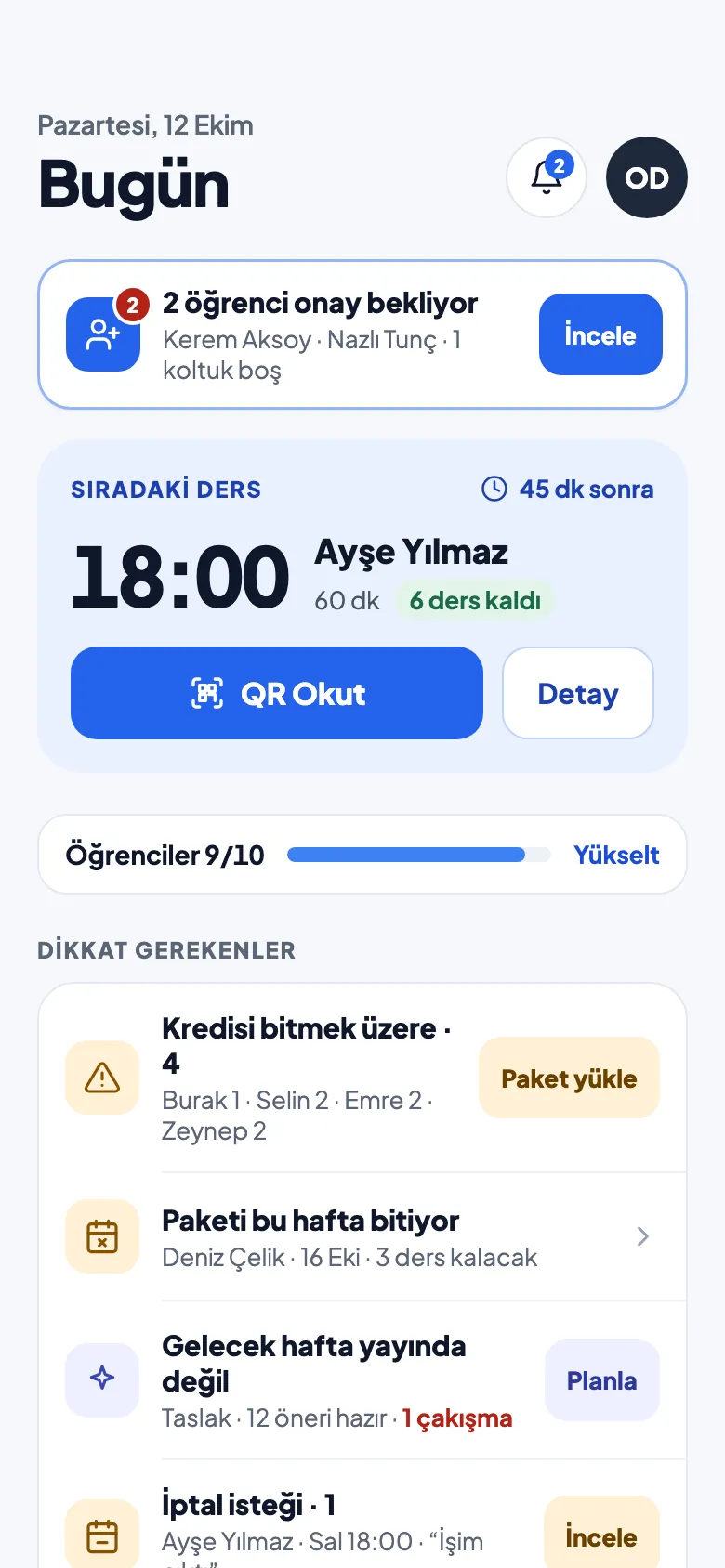
From the weekly plan to the stamp at the end of the lesson, in three steps
-
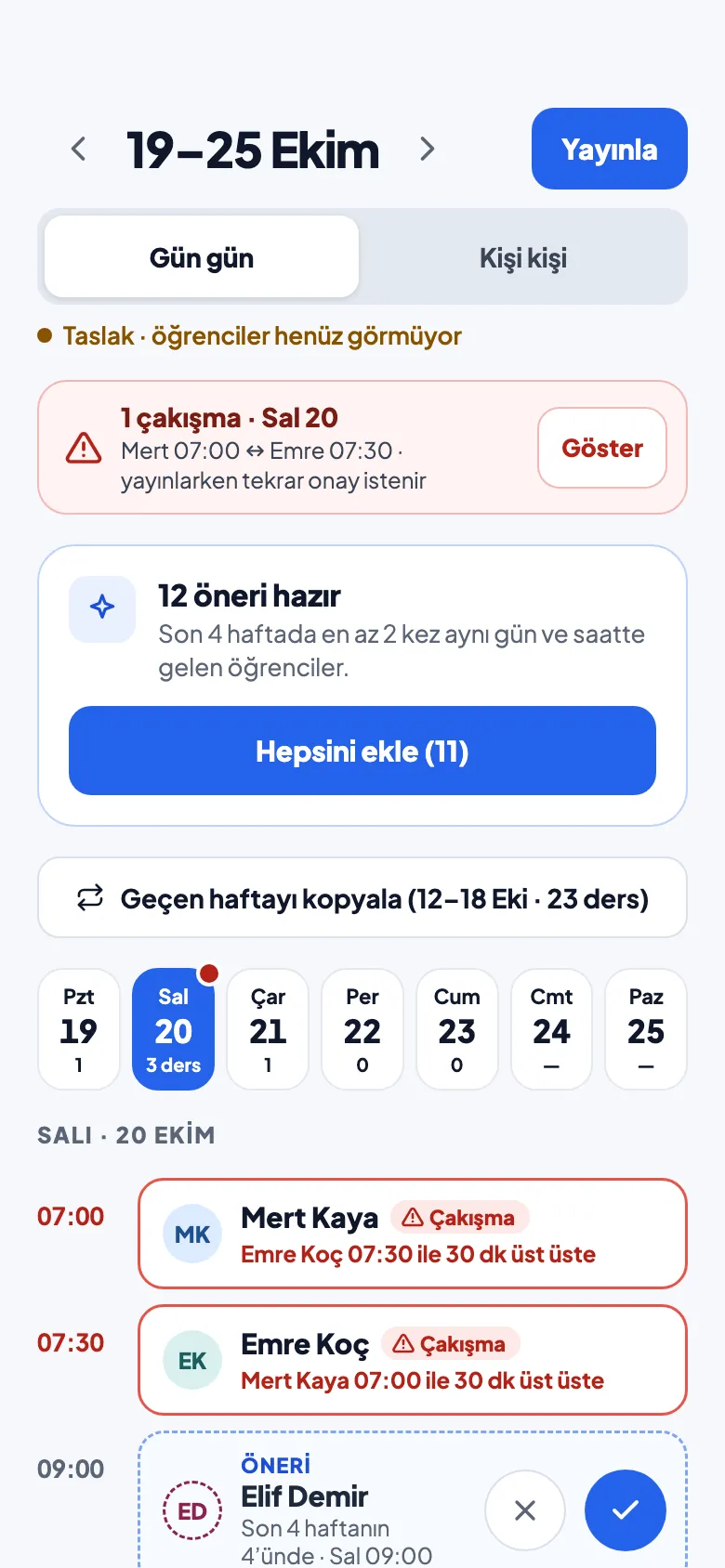
Step 1: Plan the week
Add suggestions based on regular hours with one tap, or copy last week. Publish when you're ready and your students see their schedule.
-
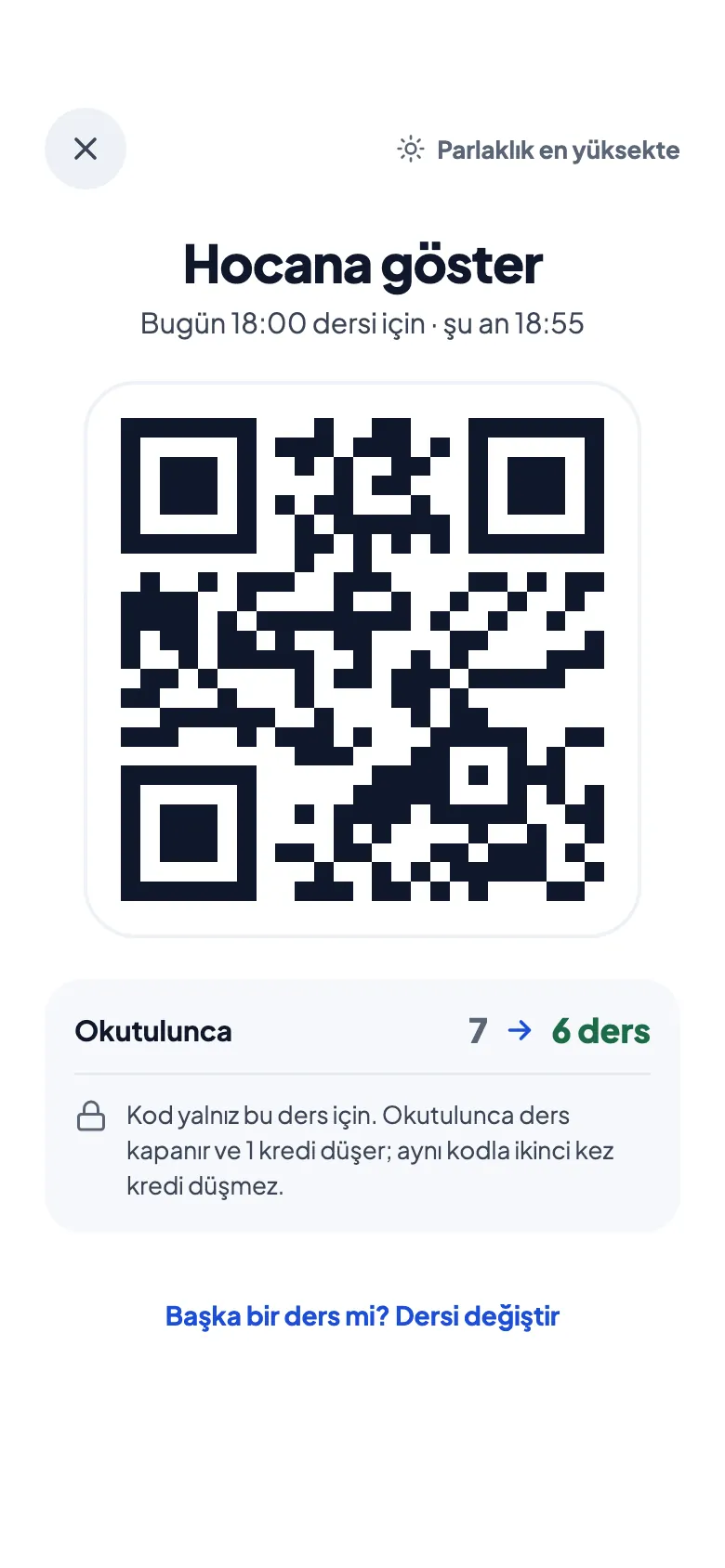
Step 2: The student shows the QR
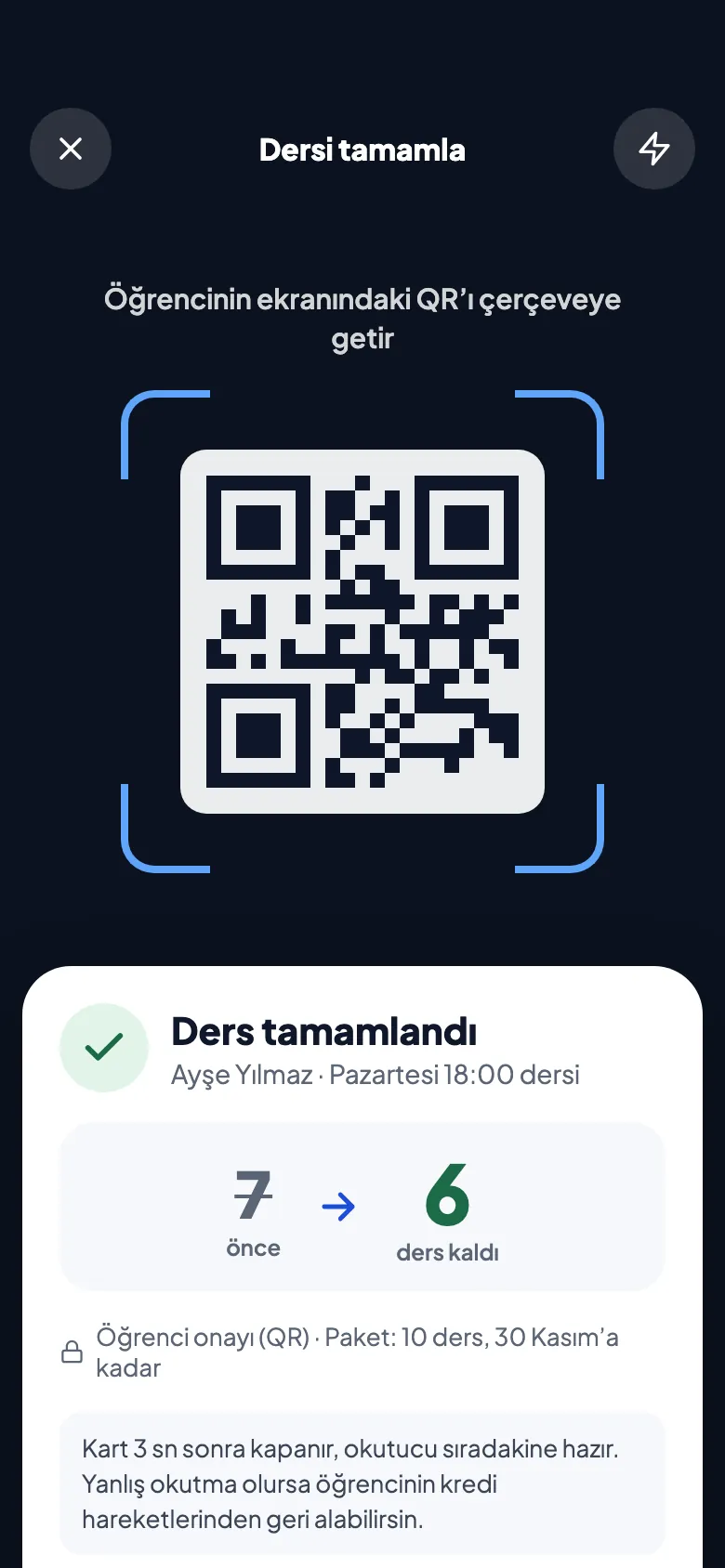
When the lesson ends, the student opens the QR code for that lesson in the app and shows it to you.
-
Step 3: The credit is deducted
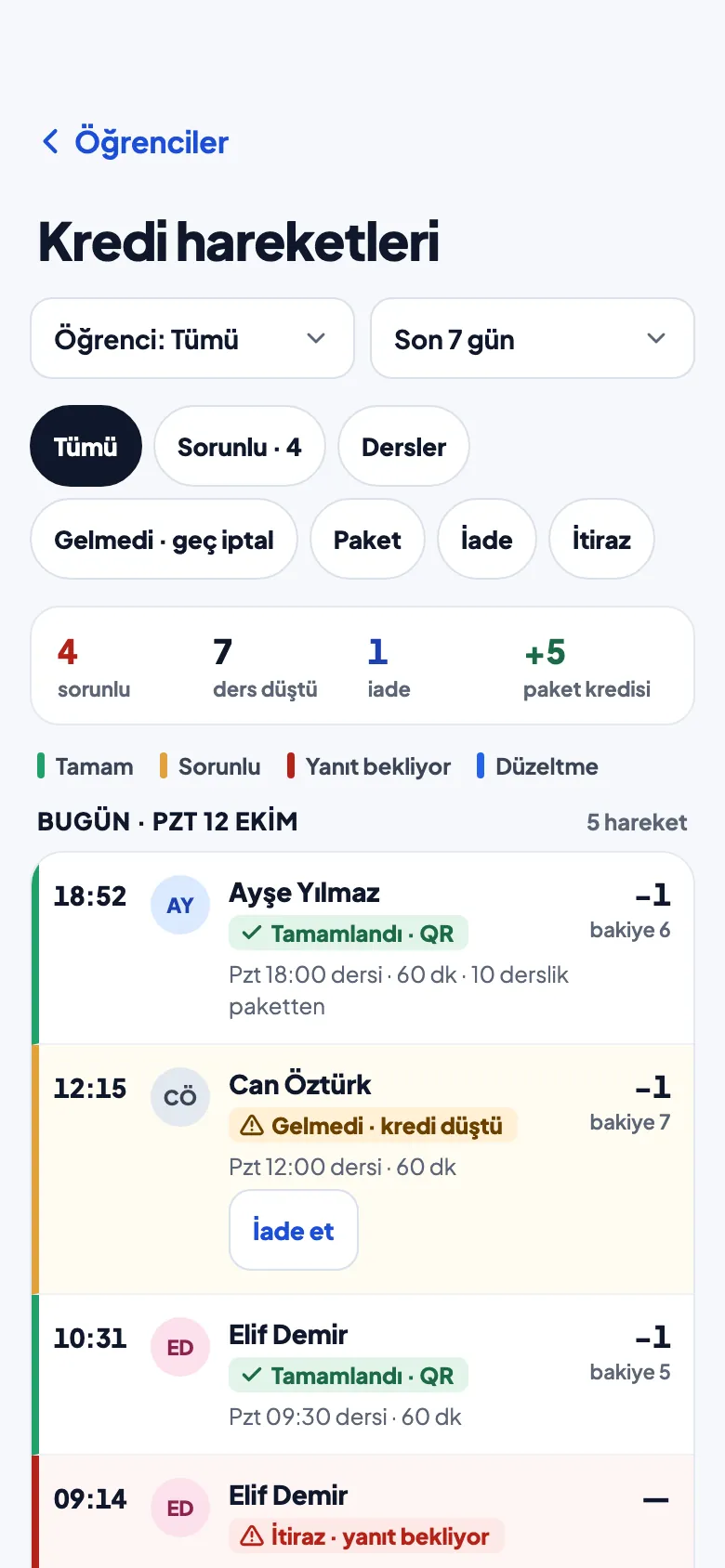
Scan it and one credit is deducted automatically. The entry goes into the credit ledger you both see.
Run your schedule, credits and cancellations from one place
Instead of WhatsApp threads, a notebook and your memory, every student's lessons and credits on one screen.
-
Your weekly plan in minutes
Get suggestions from your students' regular hours. Add them with one tap or copy last week, then publish.
-
Credit packages per student
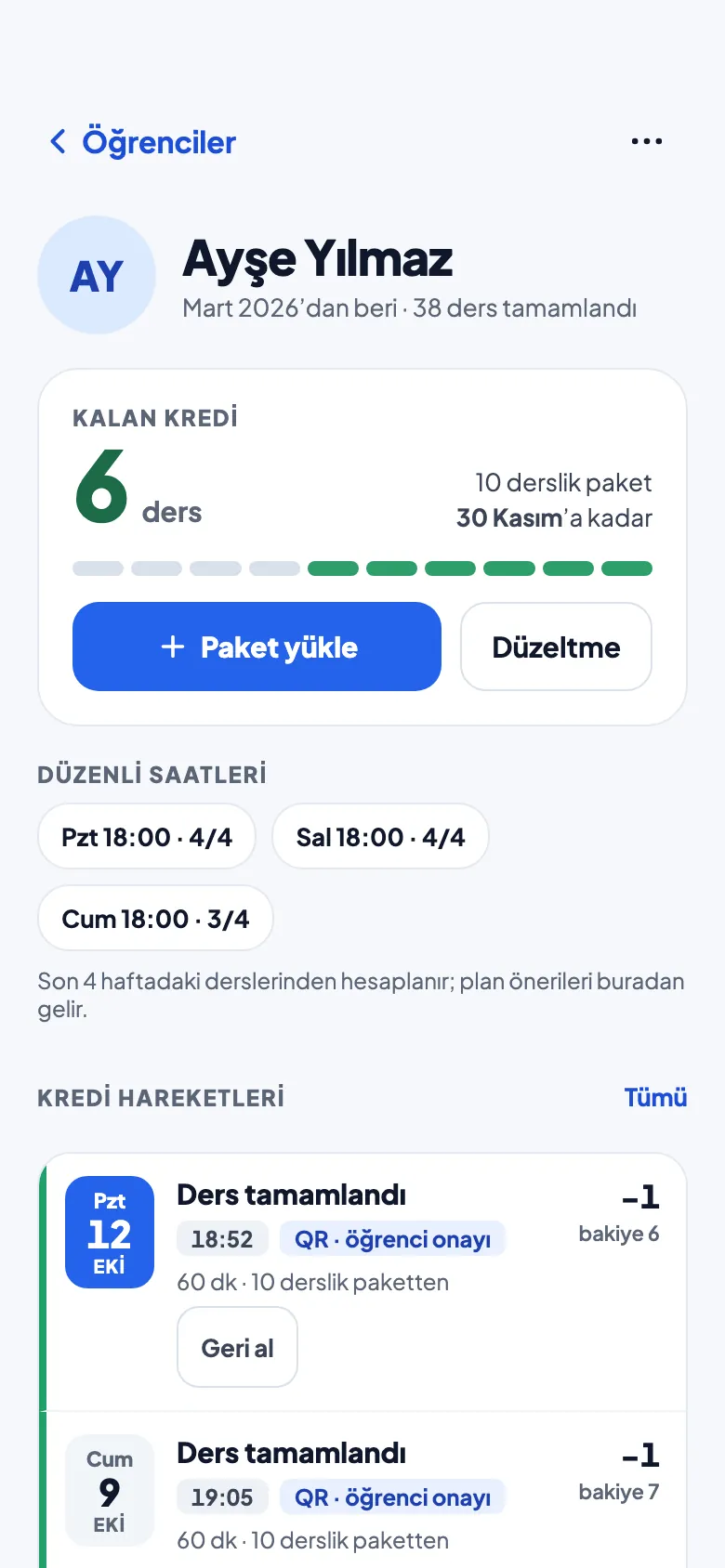
Load a lesson package for each student and see at a glance who has how many lessons left.
-
Stamp it with a QR
Scan the student's QR at the end of the lesson. One credit comes off automatically, just like a stamp card.
-
A credit ledger that can't be changed
Entries are never edited or deleted; corrections are added as new entries. Your student sees the same ledger.
-
Refunds and cancellations, your call
Refund a no-show credit with one tap. When a student asks to cancel, the request comes to you for approval.
-
Reminders go out on their own
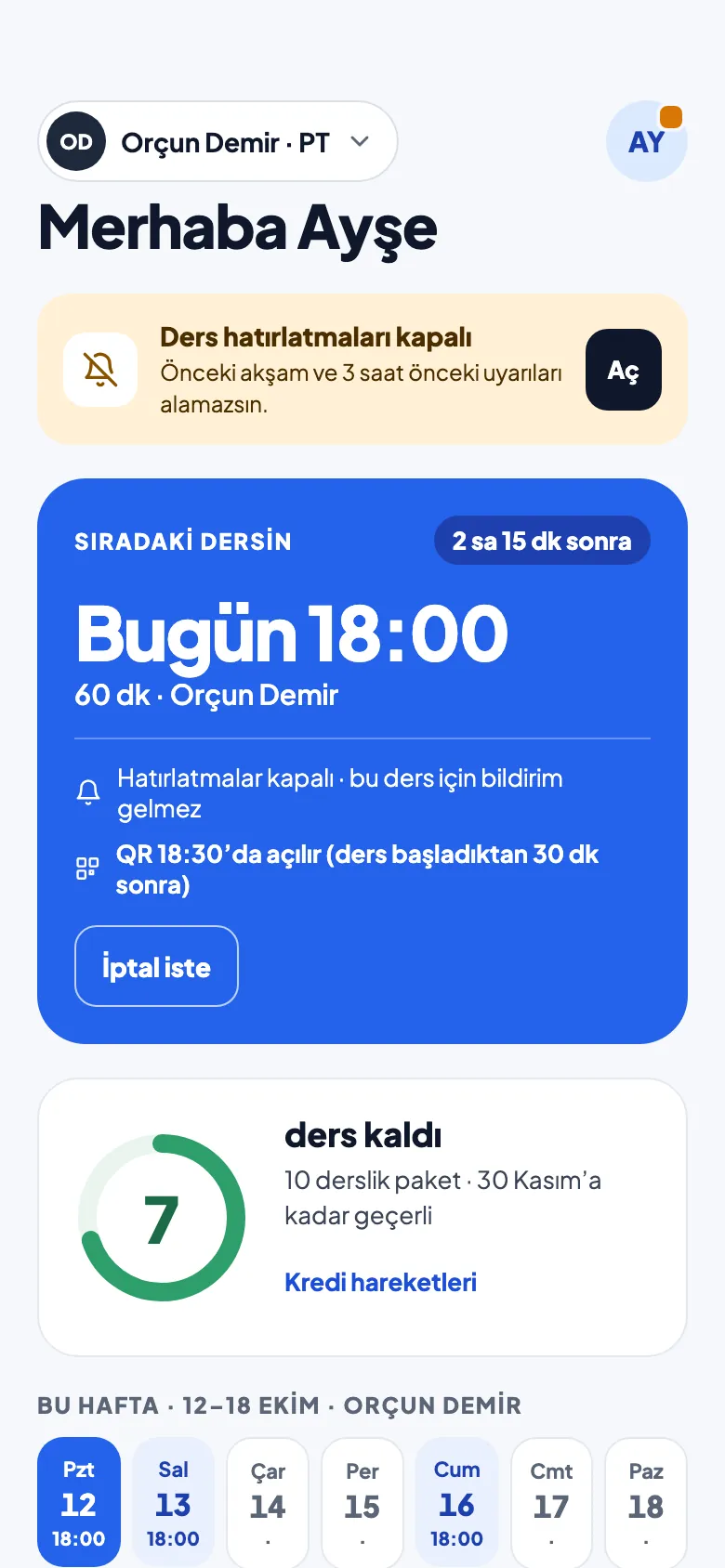
Your students get an automatic reminder the evening before and 3 hours before each lesson.
The student app is free
Students join their trainer by tapping the invite link or entering the invite code. Everything else is on one screen.
- Automatic remindersA notification the evening before and 3 hours before each lesson.
- Next lesson and weekly scheduleAlways know when your next lesson is.
- Lessons left and credit historySee how many lessons you have left and every entry, in the same ledger your trainer sees.
- Show your QR after the lessonYour trainer scans it and the credit comes off automatically.
- Cancel requests in the appCan't make it? Ask to cancel and the request goes to your trainer for approval.
Pricing coming soon
Prices haven't been set yet. We'll publish them on this page once they are.
Students
Free
The student app is free. You join through your trainer's invite.
Trainers
Subscription
Tiers will be based on the number of active students. Prices coming soon.
A 14-day free trial is planned
Coming soon to the App Store
The first version of CoachStamp is being built for iPhone. Once it's out, you'll be able to download it from this page.
For iPhoneComing soon to the App Store